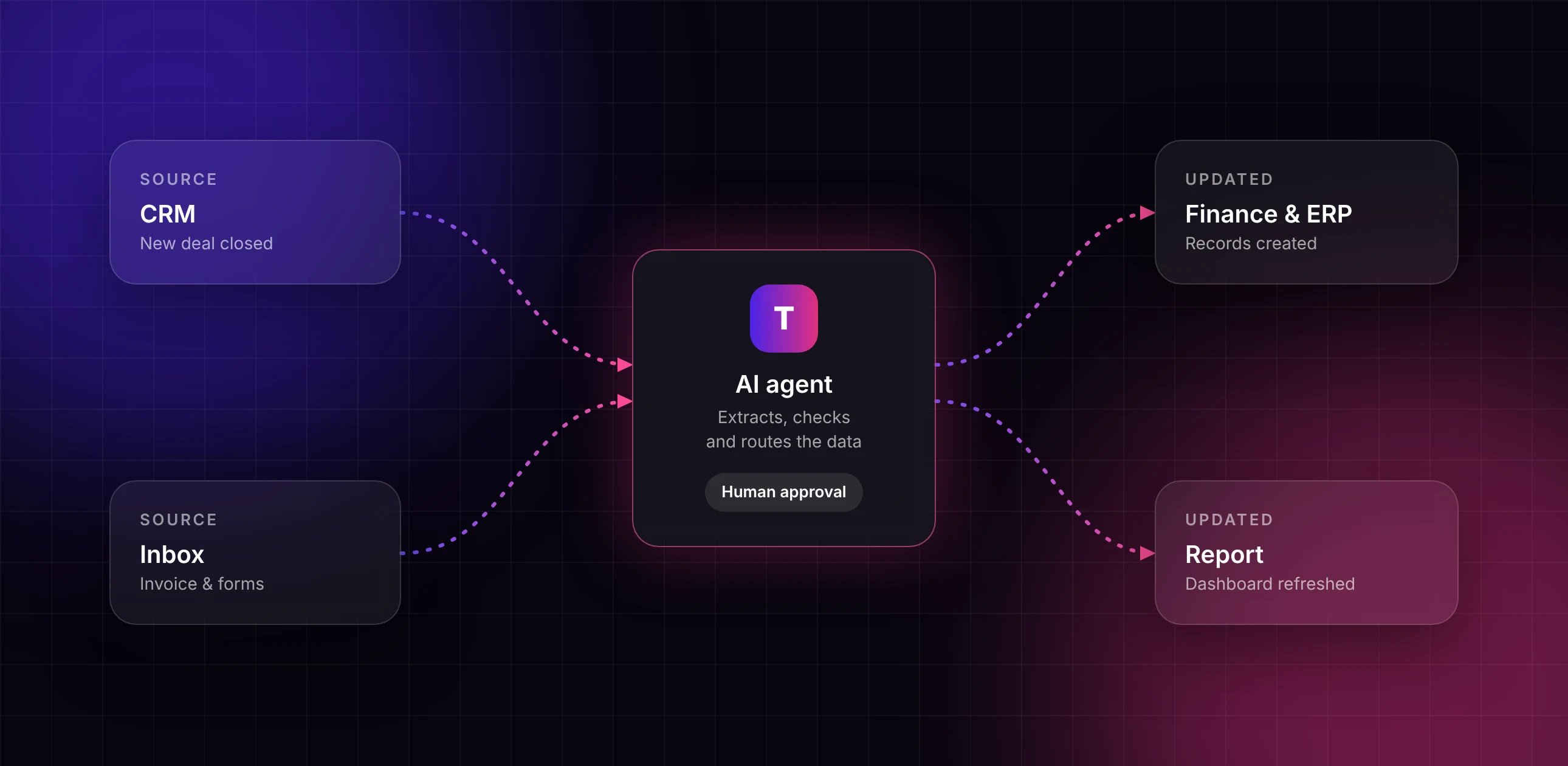
Workflow automation diagram: CRM and inbox data flowing through an AI agent to finance systems and reports

Workflow Automation: let your systems do the busywork

We connect the tools your teams already use and automate the repetitive steps between them: data entry, handoffs, approvals and reporting. Fewer errors, faster turnaround, no extra headcount.

System integrations

Connect your CRM, help desk, ERP, finance tools, spreadsheets and email.

Document processing

Pull data from invoices, forms, contracts and emails automatically.

AI decision steps

Agents classify, summarize and route work, with people approving where it matters.

Automated reporting

Dashboards and summaries that update themselves instead of being built by hand.

Problems this solves

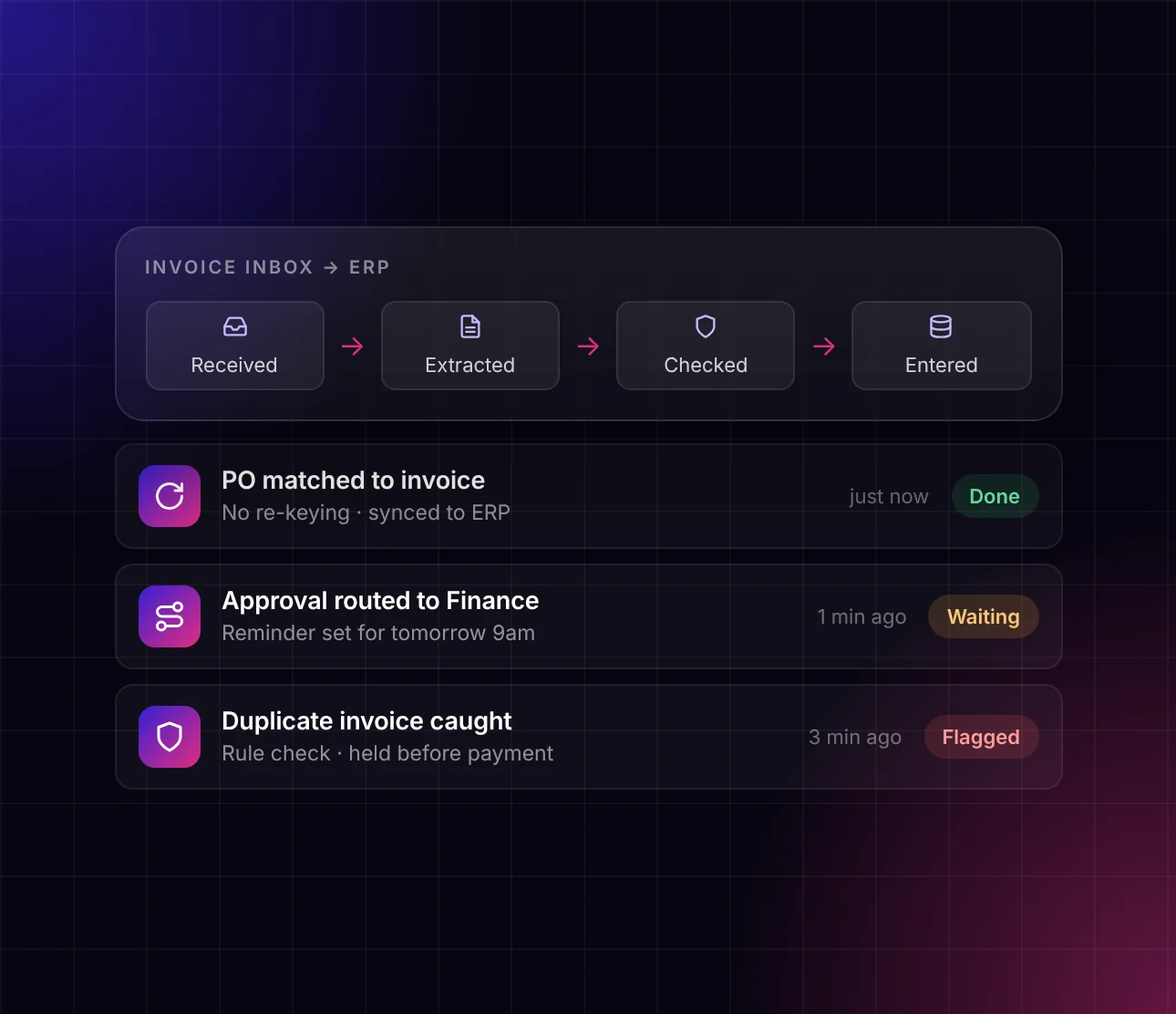
Invoice inbox automated into your ERP with checks

Copy-paste between systems

Data moves automatically, so nobody re-keys the same information twice.

Slow handoffs

Requests and approvals route to the right person instantly, with reminders built in.

Errors and rework

Consistent rules and checks catch mistakes before they spread.
Start small, then scale

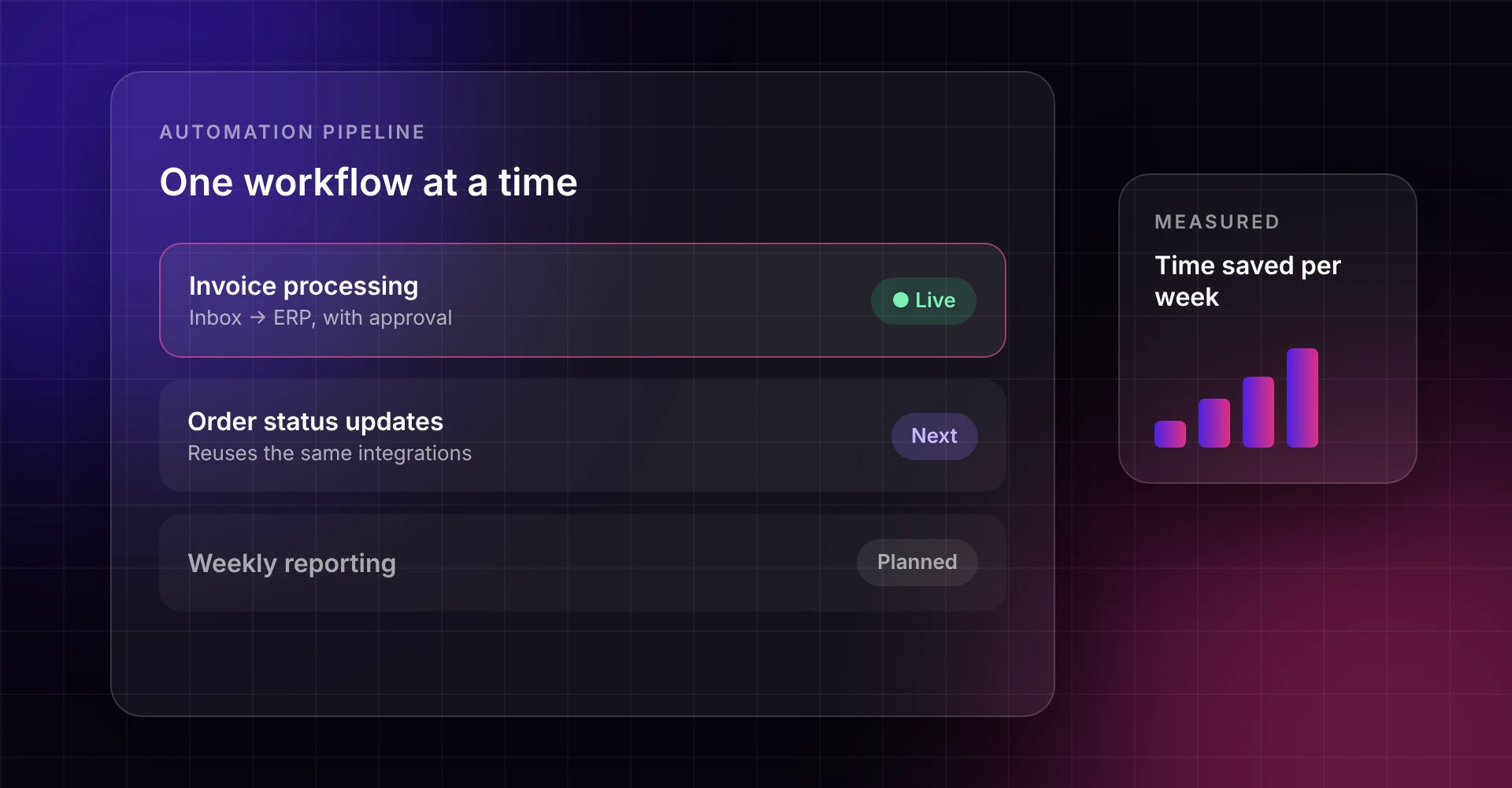
Automation pipeline with one workflow live, the next queued and time saved measured each week
We pick one high-volume workflow, automate it end to end and measure the time saved. Once it’s proven, we move to the next process, building on the same integrations.
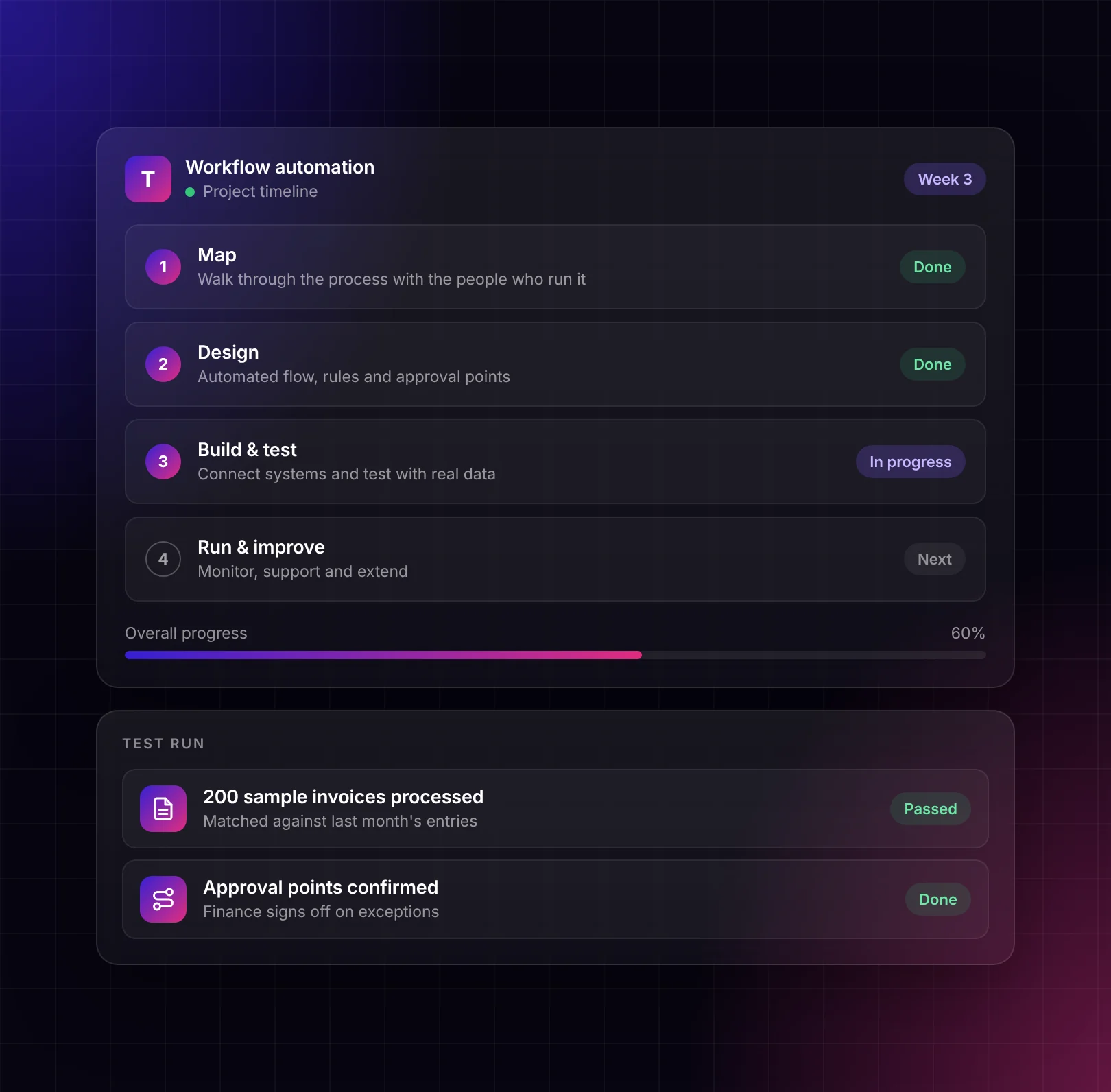
Workflow automation project timeline

How it works

1. Map

Walk through the process with the people who run it.

2. Design

Define the automated flow, rules and approval points.

3. Build & test

Connect systems and test with real data before going live.

4. Run & improve

Monitor, support and extend to the next workflow.

Turms is an AI automation agency based in New York.

Newsletter

Feel free to reach out if you want to collaborate with us, or simply chat.
Email
© 2026 Turms, Inc. All rights reserved.